
The Best Marketing Proposal Software for Agencies and Fractional CMOs: What to Look For
A buyer's guide to cutting through the noise — and choosing a tool that actually closes deals.
PitchPortal
May 27, 2026 · 15 min read
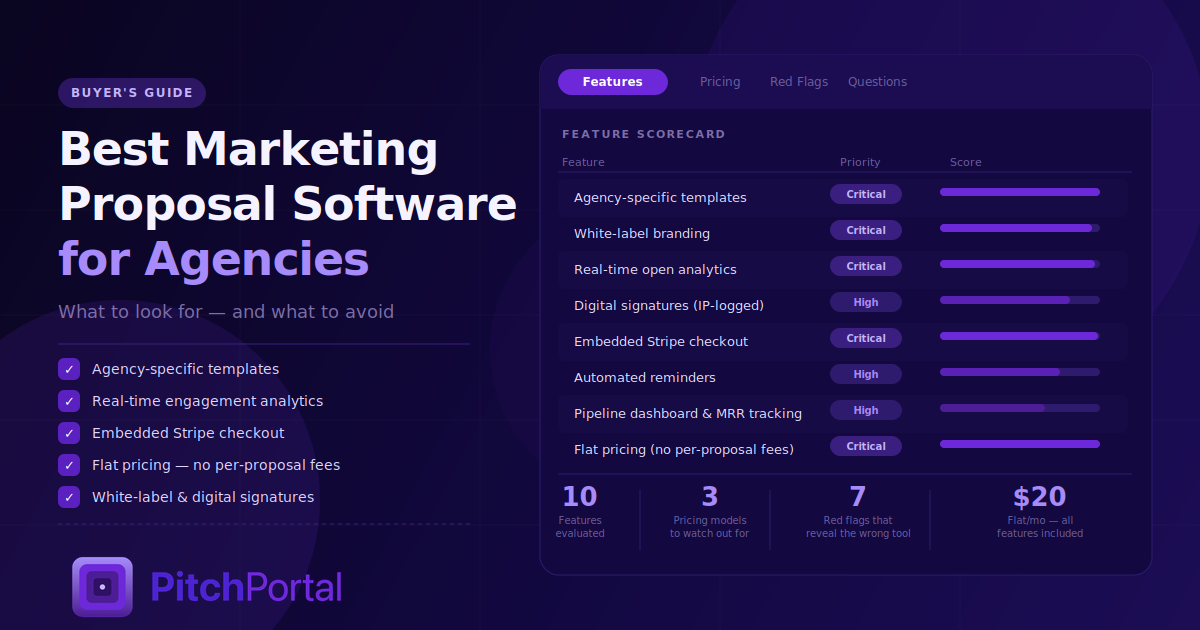
There are dozens of proposal software tools on the market. Most of them will tell you they're built for agencies. Most of them are lying.
What they're actually built for is the broadest possible customer base: IT consultants, HR firms, accountants, real estate developers, anyone who needs to send a professional document. The "marketing agency template" is an afterthought — a renamed version of a generic services template with a few buzzwords swapped in.
If you run a digital marketing agency or practice as a fractional CMO, that gap matters. Your proposals aren't generic services agreements. They're sales documents. They need to move fast, look polished, and guide a prospect from interest to signature to deposit in a single session. The stakes are high because your prospects are evaluating your work before the work has even started — and a clunky, PDF-based, off-brand proposal tells them everything they need to know about how you operate.
This guide covers every feature and factor worth evaluating, the pricing models to watch out for, the red flags that reveal whether a tool is actually built for you, and the questions to ask before you commit.
Why Generic Proposal Tools Fall Short for Agencies
Before getting into what to look for, it's worth understanding exactly where generic tools break down.
They're not optimized for speed. Agency proposals need to go out fast — ideally within 24 hours of a discovery call, when excitement is highest. Generic tools bury you in configuration, drag-and-drop complexity, and brand setup that takes hours before you send your first proposal.
Their templates are built for the wrong industries. A proposal for an IT managed services contract and a proposal for a fractional CMO retainer are structurally different documents. The sections are different, the tone is different, and the pricing presentation is different. Retrofitting a generic template for every new engagement wastes time and produces mediocre output.
Their pricing punishes growth. The most common SaaS pricing model in the proposal space charges per seat, per proposal, or locks key features behind expensive tiers. For a solo fractional CMO sending 10 proposals a month, or an agency team of three, the math gets ugly fast.
They're disconnected from how agencies get paid. Generic proposal tools think the job is done when the document is signed. But agencies and fractional CMOs need to collect a deposit at signature — in the same session, without redirecting to a separate invoice. Most tools can't do this.
The right tool feels like it was built specifically for the way you work. The wrong one feels like you're constantly working around it.
The 10 Features That Actually Matter
1. Agency-Specific Templates (That Actually Work)
Templates are the single biggest time-saver in any proposal tool — and the single biggest differentiator between tools built for agencies and tools built for everyone.
Look for preloaded templates that cover the actual engagements you run:
-Monthly retainer packages
-One-time project scope (website redesign, brand audit, campaign build)
-Fractional CMO engagement agreements
-Performance marketing (paid search, paid social)
-SEO and content strategy retainers
-Marketing strategy and positioning engagements
Each template should have a logical proposal structure already in place: executive summary, problem statement, proposed solution, scope of work, deliverables, timeline, investment/pricing, case studies or proof, team overview, FAQs, and terms. You should be customizing, not constructing.
Beyond the section structure, look at whether the templates use persuasive language or generic filler. A great template opens with the client's problem, not "thank you for the opportunity to submit this proposal." That one detail reveals whether the template was written by someone who understands sales or someone who writes documentation.
Red flag: Any tool that points you to a "template gallery" populated entirely by non-agency examples — construction bids, catering proposals, grant applications — is not your tool.
2. Brand Kit and White-Label Presentation
Your proposal is often the first designed artifact a prospect receives from you. Before they've seen a campaign, a dashboard, or a deliverable, they've seen your proposal — and they're forming an opinion about your agency's aesthetic judgment.
A proper brand kit means:
-Your logo is uploaded once and applied automatically to every proposal
-Your brand colors are set globally — headers, buttons, accents, and dividers all pull from your palette
-Your fonts are applied consistently throughout
-The proposal URL reflects your brand, not the software company's domain
-No competitor watermarks, powered-by footers, or tool branding visible to your client
The white-label experience extends to the client-facing portal. Your client should open a link and see your agency's identity, not the proposal tool's. From the first pixel to the signature button, the experience should say "this is what it's like to work with us."
Red flag: Any tool that puts its own branding anywhere visible to your client unless you pay to remove it, is charging you for basic professionalism.
3. Real-Time Proposal Analytics
This is where online proposals genuinely separate themselves from PDF attachments — and where most agencies dramatically underestimate the value.
Knowing when a prospect opens your proposal, how many times they return to it, and how long they spend on each section changes how you sell. It tells you:
-When to follow up (at peak interest, not arbitrarily)
-Who else is reviewing the proposal (multiple opens from different devices or locations signals a buying committee)
-Where friction lives (if they keep returning to pricing but haven't signed, that's the conversation to have)
-Which deals need attention vs. which are on track
The minimum viable analytics stack:
Open notifications: Instant alert when the proposal is first viewed
View count: How many times the proposal has been opened
Time-in-document: How long was spent reading total
Section-level engagement: Which parts got the most attention
Revisit alerts: Notification when a prospect returns after days of inactivity
Advanced tools layer in device tracking, location signals, and multi-viewer detection. For agencies and fractional CMOs managing multiple active proposals at once, a pipeline dashboard that surfaces this data across all open deals is especially valuable.
Red flag: Any tool that only tells you whether a proposal was "delivered" with no engagement data is essentially a fancy email attachment.
4. Interactive Pricing and Client-Configurable Add-Ons
One of the highest-leverage features in modern proposal software is the ability to let clients build their own package — with the pricing updating in real time as they toggle services on and off.
For agencies and fractional CMOs, this is particularly powerful because:
It removes you from negotiation. Instead of the client pushing back on a fixed number, they're making choices. Psychologically, they're shopping, not negotiating. The resistance drops.
It surfaces upsell opportunities. A client who came in looking for SEO might add content production when they see it laid out clearly as an add-on. They wouldn't have asked. You wouldn't have offered. The interactive format creates the conversation.
It clarifies the scope before signature. When a client actively selects "weekly reporting: yes" and "monthly strategy session: yes," they've defined their own expectations. The "I thought that was included" conversation evaporates.
It increases average contract value. Multiple studies on interactive pricing have found that presenting options — rather than a single price — increases deal value. Clients build up to more than they'd have accepted if presented with a fixed number.
Look for:
-Toggle-based add-on selection
-Real-time price recalculation
-Optional vs. required line items
-Minimum/maximum quantity selectors for retainer hours or deliverable counts
5. Digital Signatures That Are Legally Binding
The signature is the inflection point of every deal. Everything before it is sales. Everything after it is delivery. The signature experience should be frictionless, professional, and legally sound.
Modern e-signatures in proposal tools allow clients to type or draw their signature directly in the browser. Behind the scenes, the system captures:
-IP address of the signing device
-Timestamp of the signature event
-Device and browser metadata
-Audit trail of all document views leading to signature
This creates a legally binding record that holds up in contract disputes. It's equivalent to a DocuSign or HelloSign signature in enforceability — and it happens inside your proposal, without redirecting to a separate signing platform.
What to look for beyond the basics:
Auto-generated signed SOW. The moment a client signs, both parties should automatically receive a PDF copy of the signed agreement by email. No manual exporting, no "can you send me what I signed" follow-ups.
Counter-signature support. For fractional CMO engagements, especially, having your own signature on the document alongside the client's adds weight. Look for tools that support both parties' signing.
Expiration dates. The ability to set a proposal expiration creates urgency without you having to manufacture it. "This proposal is valid through Friday" is built into the document, not awkwardly mentioned in an email.
Red flag: Tools that require a client to create an account before signing. Any friction at the signature moment loses deals. Signing should require nothing but a name and a click.
6. Automated and Manual Reminders
Proposals go quiet. Not because the prospect isn't interested — often because they got pulled into something else and genuinely forgot to respond. The follow-up system you have determines whether those deals come back or die.
Best-in-class proposal tools offer two layers of follow-up:
Manual one-click nudges. From your dashboard, you click a button, and a pre-written, professional reminder email goes to the prospect instantly. No copy-pasting. No drafting. No agonizing over tone. The message is warm and brief: "Just wanted to make sure this got through — happy to jump on a quick call if you have questions."
Automated reminders triggered by behavior. If a proposal hasn't been opened in 48 hours, an automatic reminder fires. If it's been opened but not signed in 72 hours, a second nudge goes out. These sequences run without you lifting a finger.
The key detail: reminder emails should look like they came from you, not the software tool. They should arrive from your sending address, in your voice, and without any indication that an automated system generated them.
What to avoid: Tools that can only send reminders from a generic no-reply address, or that send reminders clearly branded as coming from the software company. Your client relationship is yours — your follow-up communication should reflect that.
7. Email Notifications and Real-Time Alerts
You should never find out a deal closed by logging into a dashboard. You should find out by receiving an alert the moment it happens.
The notification layer separates tools built for active deal management from tools built as passive document storage.
Essential notifications:
Open alert: When a proposal is first viewed
Revisit alert: When a previously quiet prospect returns
Signature notification: Instant email when a client signs, with the signed document attached
Payment confirmation: When a deposit is processed through embedded checkout
Expiration warning: When a proposal is approaching its validity deadline
For agencies and fractional CMOs managing multiple open proposals simultaneously, a notification system that doesn't require you to babysit a dashboard is fundamental. Deals move at odd hours. A client signs at 8 PM on a Thursday. You should know immediately — not when you check your tool on Monday morning.
8. Embedded Checkout and Deposit Collection
This is the feature that transforms your proposal from a document into a revenue event.
The psychology is simple: a client who has just signed is maximally committed. Their decision is made. Their cognitive resistance is at its lowest. That is the exact moment to collect a deposit — not an hour later when you email an invoice, not the next day when momentum has cooled, not whenever they "get around to" processing payment.
Embedded checkout means Stripe is built into your proposal. After signing, the client is immediately presented with a payment step. They enter their card, confirm the amount, and the deposit lands in your Stripe account. The whole session — reading, deciding, signing, paying — happens without leaving the proposal page.
The operational outcomes are significant:
Faster cash collection. No invoice chasing. No "I'll process that this week" promises.
Lower ghost-client rate. A signed-and-paid engagement is psychologically different from a signed-but-unpaid one. Paid clients show up differently.
Cleaner cash flow. Deposits arrive at the start of every engagement, predictably, automatically.
Critical things to evaluate:
Zero platform fees. The tool should connect to your Stripe account and collect payment on your behalf with no cut. You pay Stripe's standard 2.9% + $0.30 processing fee. The proposal tool should charge nothing additional per transaction.
Flexible deposit amounts. You should be able to set any deposit — a fixed amount, a percentage of the total, or the full project fee upfront.
Payment as optional vs. required. Some proposals are for ongoing retainers where you invoice separately. The checkout step should be toggleable, not mandatory.
Red flag: Any tool that takes a percentage of transactions processed through their platform. This is a hidden cost that compounds silently and gets expensive fast.
9. Pipeline Dashboard and Deal Management
Once you're sending proposals at any volume, managing them through your email inbox becomes untenable. You need a single view that shows you the status of every deal.
A well-designed pipeline dashboard shows:
-All open proposals with their current status (sent, viewed, signed, expired)
-Time elapsed since last activity for each proposal
-Total pipeline value across all open deals
-MRR from active signed clients
-Proposals flagged as needing attention (unopened after 3+ days, viewed but unsigned after 5+ days)
This transforms your proposal process from reactive to proactive. Instead of realizing a week later that you forgot to follow up with a prospect, you open your dashboard each morning and see exactly what needs attention.
For fractional CMOs managing their own book of business alongside client work, a clean pipeline view is especially valuable. You can see at a glance whether your new business funnel is healthy or whether you need to go back to outreach.
10. Speed and Simplicity of Setup
Every feature on this list is worthless if the tool takes three days to configure before you can send your first proposal.
The best proposal tools for agencies and fractional CMOs are built for speed. The measure is simple: from the moment you sign up, how long until your first fully branded, properly structured proposal is in a client's inbox?
The target should be under 15 minutes. That means:
-Brand kit setup (logo, colors, fonts) takes under 3 minutes
-Template selection and initial customization takes under 10 minutes
-Sending the first proposal takes under 2 minutes
If a tool requires you to watch tutorials, configure integrations, learn a custom block editor, and puzzle through a complex pricing table builder before your first send, you'll pay for that complexity every time you use it.
The simplicity test: Find a tool's most agency-relevant template. Imagine you just ended a discovery call 20 minutes ago. Can you have the proposal sent before the prospect's excitement cools? If yes, that's a tool built for the way agency sales actually work.
Pricing Models to Understand (and Watch Out For)
Pricing structures vary wildly in this category — and the differences matter more than most buyers realize.
The most common model. You pay per user per month. For a solo fractional CMO, this can look cheap. For an agency with an account manager, a strategist, and a principal, it triples.
Watch for: Minimum seat requirements, annual-only pricing, and features that unlock only at higher seat counts.
Per-Proposal or Per-Signature Fees
Some tools charge a transaction fee for each proposal sent or each signature collected. At low volumes, this is invisible. At 20 proposals a month, it's a material cost.
This is the pricing model most corrosive to an active agency. If sending more proposals — which is the whole point — makes the tool more expensive per transaction, the incentive structure is broken.
Tiered Feature Plans
The classic SaaS playbook: basic features on the cheap plan, the features you actually need on the $99/month plan. Analytics behind "Business." Stripe checkout behind "Enterprise." Custom branding behind "Pro."
The result: you pay for features that should be core functionality. White-labeling your own proposals shouldn't be a premium.
Flat Monthly Pricing (Unlimited)
The best model for active agencies and fractional CMOs. One price, all features, unlimited proposals, unlimited signatures. You know your cost, and it doesn't change whether you send 5 proposals this month or 50.
When evaluating flat pricing, check: Are e-signatures included or add-on? Is Stripe integration included or add-on? Is white-labeling included? Is the brand kit included? "Flat" pricing that ladders features into add-ons is just tiered pricing with better marketing.
Red Flags to Walk Away From
Some things reveal immediately that a tool isn't right for agencies and fractional CMOs. Watch for:
Competitor branding visible to your client. If your client can see the name of the proposal tool you're using — in the URL, the footer, the email notification, or anywhere on the page — that's not white-label. That's co-branding you didn't ask for.
PDF-export as the primary delivery method. Tools that push you toward PDF delivery are stuck in the old model. They haven't made the conceptual leap from "document" to "interactive experience." If the main use case is still sending an attachment, move on.
No open or engagement tracking. Sending a proposal and not knowing whether it was opened is flying blind. This feature costs nothing to build. If it's absent, it's either an oversight or it's locked behind a paywall.
Overly complex editors. If you need to understand layers, content blocks, section locking, and CSS overrides to produce a basic proposal, you'll spend more time building than selling. Proposal creation should be fast. If the editor makes you feel like a web developer, it's not built for your workflow.
No Stripe integration or a fee on top of Stripe's fee. No integration means you can't collect deposits at signing. A fee on top of Stripe means the tool is monetizing your revenue. Neither is acceptable.
Account required to sign. Requiring your client to create an account before they can sign your proposal introduces friction at the worst possible moment. One unnecessary step costs more deals than most agencies realize.
Slow customer support. For a tool you depend on to close deals, slow or unhelpful support is a revenue risk. Check review platforms for support response time, not just product features.
Questions to Ask Before You Commit
Before signing up for any proposal tool, get clear answers to these:
Is there a free trial without a credit card? Tools confident in their product offer this. Tools that need your card to "hold your account" are hedging.
What's the full pricing — are e-signatures, analytics, and Stripe integration included at the base tier?
Do you take any cut of payments processed through your platform?
Can I white-label the proposal URL to my own domain or subdomain?
What does my client see in terms of your branding?
How long does the average new user take to send their first proposal?
What happens to my proposals and client data if I cancel?
Do you have templates specifically for fractional CMO engagements and marketing retainers?
The Features Matrix: What to Prioritize by Business Type
Not every feature carries equal weight depending on how you work.
For solo fractional CMOs: Speed and simplicity are paramount. You're doing everything yourself. A fast template, clean branding, digital signature, and Stripe checkout are the core four. Pipeline management becomes important as you scale to 5+ active clients simultaneously.
For boutique agencies (2–10 people): Templates and brand kit are critical — consistency across team members matters. Analytics and reminders become more important as deal volume grows. The pipeline dashboard saves hours of internal "where are we with the Acme proposal?" conversations.
For growth-stage agencies (10+ people): All features matter. Template governance (ensuring everyone uses approved versions), pipeline visibility, and MRR tracking become operational necessities. Flat pricing becomes especially important as team size grows.
The Bottom Line: What "Built for Agencies" Actually Means
The phrase "built for agencies" appears in the marketing of nearly every proposal tool. It means almost nothing without interrogating the specifics.
A tool truly built for agencies and fractional CMOs has:
-Templates designed by people who have actually written agency proposals — with the right structure, the right sections, and persuasive language that opens with the client's problem
-Flat pricing that doesn't penalize volume or team size
-A white-label experience from the URL to the signature button
-Analytics that turn proposal delivery into deal intelligence
-A signature-to-deposit workflow that collects money while commitment is highest
-A setup time measured in minutes, not days
The best proposal software doesn't just help you send documents. It makes your agency look sharper, close faster, and get paid sooner. That's the bar.
Ready to Experience What the Right Tool Feels Like?
PitchPortal is built specifically for digital marketing agencies and fractional CMOs who are done compromising with tools designed for everyone else.
For $20/month flat — no per-seat fees, no per-proposal charges, no transaction cuts — you get everything in this guide: agency-ready templates, a full brand kit, live open tracking, interactive add-on pricing, one-click reminders, legally binding digital signatures, auto-generated signed SOWs, instant email notifications, and embedded Stripe checkout.
Your first proposal can be out the door in under 15 minutes.
Start your 7-day free trial at pitchportal.pro — no credit card required.
Send better proposals — free for 7 days
Unlimited proposals, signatures, and Stripe deposits for one flat $20/month.
Start free trial