
How to Create the Best Online Proposal (and Actually Win the Deal)
PitchPortal
May 26, 2026 · 10 min read
You've done the discovery call. The prospect is warm. They're ready to see numbers. And then you spend three hours wrestling with a Google Doc, copy-pasting your pricing table for the fifth time this month, exporting a PDF that renders differently on their machine, and attaching it to an email you'll never know they opened.
Meanwhile, a competitor sends a branded web link in two minutes flat — and gets the signature that afternoon.
Online proposals have transformed how service businesses close deals. Done right, they aren't just documents — they're interactive sales experiences that guide prospects from "interested" to "signed and deposited" without friction. This guide covers everything you need to build proposals that convert: templates, branding, analytics, reminders, digital signatures, email notifications, and embedded checkout.
Why PDFs Are Costing You Deals
Before diving into what makes a great online proposal, it's worth understanding why the old approach fails.
A PDF is static. Once it leaves your inbox, you have zero visibility into what happens next. Did they open it? Did they forward it to a skeptical CFO? Did they look at the pricing page and close the tab immediately? You have no idea — and that ignorance is expensive.
PDFs also create friction at every stage: downloading, opening in the right viewer, printing to sign, scanning, emailing back. Every extra step is an opportunity for the deal to stall. And stalled deals die.
Online proposals eliminate all of that. They're web links — live, trackable, interactive, and signable in a single session. The best ones feel less like a document and more like a curated experience built specifically for that client.
1. Start with a Purpose-Built Template
The fastest way to kill proposal momentum is to start from a blank page. Every hour you spend drafting is an hour of delay between your discovery call (when excitement is highest) and the moment your prospect sees your offer. Speed matters.
Great proposal templates do several things automatically:
Structure your argument. A winning proposal follows a proven flow: open with the client's problem (not your bio), present your solution, outline the scope and timeline, show social proof, then make the ask. Templates bake that structure in, so you never skip a step.
Include all the right sections. Think: executive summary, scope of work, deliverables, timeline, investment/pricing, case studies or testimonials, team overview, FAQs, and terms. Templates mean nothing falls through the cracks.
Reduce editing to personalization. With a solid template, you're not writing — you're substituting. Swap in the client's name, adjust the scope, and update the number. You can go from template to ready-to-send in under 15 minutes.
Enable drag-and-drop customization. The best proposal tools let you reorder sections with a single click. Moving the case studies above the pricing? Done in two seconds, not 20 minutes of reformatting.
Look for agency-specific templates that already include the sections your clients expect — not generic business proposal formats built for enterprise procurement teams.
2. Brand Everything, Automatically
Your proposal is a sales document. It should look like it came from a company worth hiring.
A branded proposal signals professionalism before the prospect reads a single word. It also reinforces your identity at exactly the moment your pricing is on the table — which matters more than most people realize.
The components of a branded proposal:
Logo placement. Your logo should appear prominently, consistently, and without being stretched or pixelated. It should load instantly, not be embedded as a blurry screenshot.
Brand colors. Headers, accents, call-to-action buttons, and dividers should all reflect your palette. Generic gray-on-white proposals look like they were built in 30 seconds — because they were.
Typography. Consistent fonts signal intentionality. One font for headlines, one for body copy, nothing more.
Branded share links. Instead of a generic tool URL, your proposal link should reflect your business. proposals.youragency.com/acme-q4 feels intentional. A UUID-slug does not.
The key is that branding should be applied automatically — your logo, colors, and fonts set once in a brand kit, applied to every proposal you create. You shouldn't be manually adjusting hex codes every time you start a new doc.
3. Track Opens, Scrolls, and Revisits in Real Time
Here's information that changes everything: knowing when your prospect opened your proposal, how many times they've been back, and how far they scrolled.
Live proposal analytics give you a meaningful edge:
Timing your follow-up. If your prospect opens the proposal at 9:14 AM on a Tuesday, that's the moment to send a quick check-in. You're not following up blind — you're following up at peak interest.
Reading the signals. A prospect who opens the proposal four times in one day is doing internal selling. That's a hot deal. A proposal that's never been opened after five days is a problem you need to address.
Knowing where they stopped. If you can see that your prospect spent a lot of time on the pricing section and then closed the tab, you know exactly what to address in your next conversation.
Reducing the "just checking in" email. Instead of a vague follow-up, you can say: "I noticed you had a chance to review — happy to jump on a quick call to answer any questions." Specific. Confident. Not needy.
Most PDF-based workflows give you nothing. A well-built online proposal platform gives you a real-time dashboard of prospect behavior.
4. Let Clients Customize with Interactive Add-Ons
One of the most powerful features of a modern online proposal is the ability to let clients select their own options — with the total updating in real time.
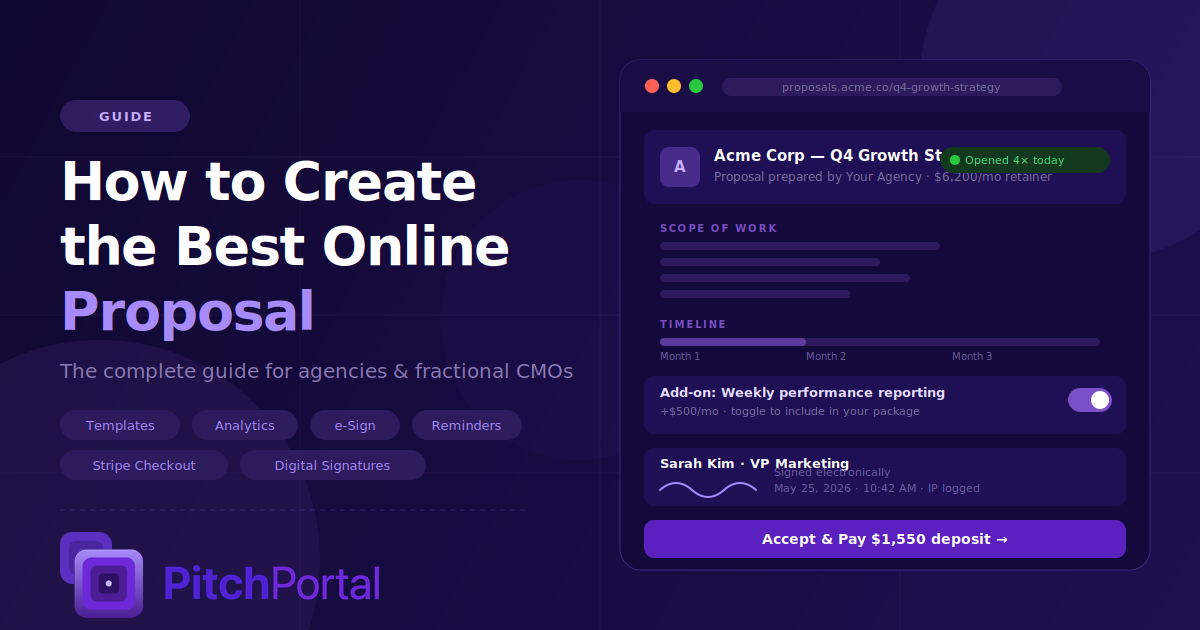
Instead of sending three separate proposals at different price points, you send one proposal with toggleable add-ons. Maybe your base package is $4,000/month. Add social media management? $1,200 more. Add weekly reporting? $500 more. The client clicks the options they want and watches the total recalculate instantly.
This approach does a few things:
It removes you from the negotiation. Clients feel agency over the outcome, which reduces resistance. They're building their own package, not being sold to.
It pre-qualifies the scope. When the client chooses add-ons, you know exactly what they expect. There are no "I thought that was included" conversations later.
It increases average deal size. Presenting options surfaces needs the client didn't know they had. Clients who build their own package often end up spending more than clients who receive a single fixed quote.
5. Send Smart Reminders Without Being Annoying
Proposals go quiet. It happens to every agency. You send a beautiful proposal, hear nothing for five days, and then face the awkward decision of whether to follow up (and how).
A one-click nudge system changes this entirely.
The best proposal tools let you send a polite, pre-written reminder email directly from your dashboard — one click, no copy-pasting, no drafting from scratch. The email goes out at the right moment with the right tone, and you don't have to agonize over the wording.
Even better: automated reminders triggered by inactivity. If a proposal hasn't been opened in 48 hours, a gentle reminder goes out automatically. If it's been opened but not signed in three days, a second nudge fires. You've built a follow-up system without building anything.
Good reminders are:
Brief. One sentence plus a link back to the proposal.
Warm, not desperate. "Just wanted to make sure this got through — happy to answer any questions" beats "Following up on my previous email."
Timely. Sent when they're most likely to act — mid-morning weekdays, not Friday afternoon.
The goal is to stay present without being pushy. Automated, context-aware reminders do exactly that.
6. Collect Digital Signatures That Are Legally Binding
The signature is the moment everything changes — and it should be effortless.
Modern digital signatures are drawn or typed directly in the browser. They capture IP address, timestamp, and device information, creating a legally binding record of the agreement. No printing. No scanning. No emailing PDFs back and forth.
For clients, the experience is: read the proposal, click "Accept," type or draw their name, and done. The whole thing takes 30 seconds.
For you, digital signatures offer:
Speed. Deals close faster when signing takes 30 seconds instead of three emails. Friction is the enemy of momentum.
A paper trail. Every signature is timestamped and IP-logged. If a dispute arises later, you have clear documentation of who agreed to what and when.
Auto-generated SOW. The best proposal tools automatically generate a signed copy of the statement of work the moment a client accepts — emailed to both parties immediately. No manual follow-up, no "can you send me a copy of what I signed" emails.
Professionalism. A client who signs through a polished, branded interface has a fundamentally different experience than one hunting for a fax machine.
7. Set Up Instant Email Notifications
You should never miss a signed deal because you weren't watching your inbox.
Email notifications and dashboard alerts ensure that the moment a client accepts your proposal, you know. Immediately. Whether you're in another meeting, traveling, or asleep (deals close in different time zones).
The best notification systems include:
Signature alerts. Instant email when a client signs, with the signed document attached.
Open notifications. Know when your proposal is first opened so you can time your follow-up.
Dashboard summary. A centralized view of which proposals are active, which have been opened, which are awaiting signature, and which are closed — across all your clients.
Staying on top of your pipeline without chasing it manually is what separates agencies that feel reactive from agencies that feel in control.
8. Collect Deposits at the Moment of Signing
This is where everything comes together — and where online proposals genuinely transform your cash flow.
Embedded checkout means clients don't just sign your proposal. They pay a deposit in the same flow, without leaving the page, without being redirected to a separate invoice, without having to "remember to send payment."
Here's the psychology: a client who has just signed is maximally committed. That's the exact moment to collect the deposit — before the energy cools, before they get distracted, before the payment slips to "I'll handle that Monday."
Embedded Stripe checkout inside your proposal removes all friction. The client signs, enters their card, and clicks confirm. You get a deposit notification. The project is funded. This happens in one session.
The operational impact is significant:
Faster cash collection. No more chasing invoices. No more "I'll send payment over" promises that take 10 days to materialize.
Fewer ghost clients. A signed-and-paid client is psychologically committed in a way a signed-but-unpaid client is not.
Cleaner books. Deposits collected through Stripe integrate cleanly with your financial tracking. No manual reconciliation.
No per-transaction fees from your proposal tool. The best platforms connect directly to your Stripe account and take zero cut. You keep 100% (minus Stripe's standard processing fee).
9. Track Your Pipeline from One Dashboard
Once you're sending proposals regularly, you need visibility across all of them at once.
A subscriber dashboard gives you a real-time snapshot of your deals:
Which proposals are out and to whom
Which have been opened and how many times
Which are awaiting signature
Which are signed and funded
Your MRR from active clients
Proposals you might need to follow up on
This is what it looks like to run a proposal process like a system instead of like organized chaos. You're not hunting through your email to figure out who you pitched last week — you're looking at a dashboard and making decisions in seconds.
Putting It All Together: The Winning Proposal Workflow
Here's what the full process looks like when you have the right tools:
Discovery call ends. You have notes on the client's goals, challenges, and budget range.
Open your proposal tool. Pick the right template — retainer management, one-time project, fractional CMO engagement.
Customize in under 15 minutes. Swap in the client name, adjust scope, update pricing, and add relevant case studies.
Send a branded link. The client gets a polished, professional web experience — not a PDF attachment.
Watch the analytics. You know exactly when they open it and how many times they come back.
Trigger a nudge if needed. One click from your dashboard sends a gentle follow-up if they've gone quiet.
Get a signature notification. The moment they sign, you're alerted by email and dashboard.
Deposit collected. Stripe processes the payment in the same session. Project funded.
Signed SOW auto-generated. Both parties receive a PDF copy immediately.
From discovery to deposit, the whole process runs with minimal manual effort — and every step looks professional.
What to Look for in a Proposal Tool
Not all proposal software is built for agencies and fractional CMOs. Here's what actually matters:
Flat pricing. Tiered plans that hide features behind "Pro" or "Enterprise" tiers are a tax on growth. You should be able to send unlimited proposals, collect unlimited signatures, and use all features from day one — for one predictable price.
Templates built for your work. Generic business templates don't cut it for agency retainers and fractional engagements. Look for preloaded templates designed for exactly what you do.
Real Stripe integration. Not a simulated checkout — actual Stripe processing where the deposit lands in your account, with no cut taken by the proposal tool.
No per-proposal fees. If your tool charges per proposal or per signature, the cost compounds quickly. Unlimited should mean unlimited.
Speed. You should be able to go from template to sent in under five minutes. If setup takes hours of configuration, that's time you'll never get back.
Ready to Send Your Best Proposal Yet?
If you're running a digital marketing agency or a fractional CMO practice, your proposals are doing more than communicating scope and price — they're selling your competence before the project even starts. A beautifully branded, analytics-enabled, signature-ready, deposit-collecting proposal tells prospects: this is what it's like to work with us.
PitchPortal is built specifically for agencies and fractional CMOs who are done fighting with PDFs and chasing down signatures. One flat price ($20/month) gets you everything in this guide: preloaded agency-ready templates, a brand kit, live open tracking, client-toggleable add-ons, one-click nudges, digital signatures, auto-generated SOWs, email notifications, and embedded Stripe checkout. No tiers. No per-proposal fees. No add-ons that should have been included.
Send better proposals — free for 7 days
Unlimited proposals, signatures, and Stripe deposits for one flat $20/month.
Start free trial